Search
How do I check if my installed Artweaver version is 32-bit or 64-bit?
Note: Artweaver 8 and newer versions are 64-bit only.
Follow these steps to find out which version of Artweaver is installed on your system:
- 1. Launch Artweaver
- 2. In the menu bar, click Help
- 3. Select System Information from the menu
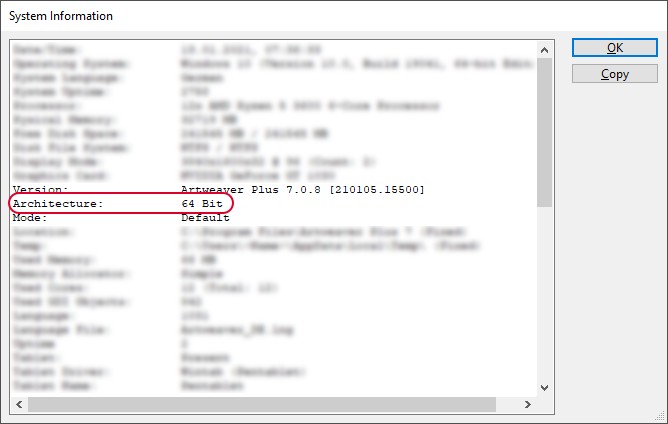
- 4. In the System Information window, locate the entry labeled Architecture
- 5. The value shown next to Architecture indicates whether you are using the 32-bit or 64-bit version of Artweaver