Neueste Artikel
-
Artweaver Add-ons Plugin is available
28.10.2026 -
18.10.2026
-
05.07.2026
-
Artweaver 8 for Mac is out now!
17.06.2026 -
16.05.2026
Artweaver Add-ons Plugin is available
We are happy to announce the availability of the Artweaver Add-ons Plugin.
The plugin makes it easy to browse all available Artweaver add-ons and install them directly from within Artweaver. Discover additional plugins, presets and language files to extend the functionality of Artweaver and customize your creative workflow.
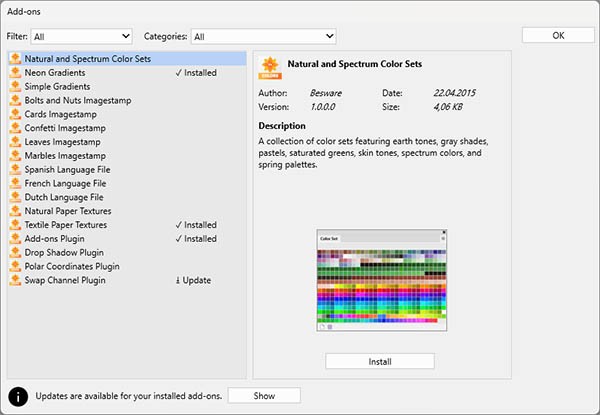
With the Artweaver Add-ons Plugin, finding and installing new add-ons is easier than ever.
For more information, please visit the Artweaver Add-ons page.
We hope you enjoy using the Artweaver Add-ons Plugin!
Artweaver 8.1.7 is available
An update for Artweaver 8 to version 8.1.7 is now available.
You can install this update automatically using the built-in online update feature of Artweaver, or by selecting Help -> Check for Updates from the application menu.
This version includes the following fixes
- Fixed an error when using the Magic Wand tool
- Fixed an error when updating the document menu
- Fixed an error when opening the Layers palette menu
- Fixed palettes changing height when dragged
- Fixed an issue where some filter previews appeared black
- Fixed an issue where text imported from the clipboard contained unknown characters
- Fixed various random errors
We value your feedback
We would greatly appreciate your feedback about your experience with Artweaver. Your regular feedback helps us identify and resolve issues that might otherwise go unnoticed.Thank you for your support!
Artweaver 8.1.6 is available
An update for Artweaver 8 to version 8.1.6 is now available.
You can install this update automatically using the built-in online update feature of Artweaver, or by selecting Help -> Check for Updates from the application menu.
This version includes the following fixes
- Improved layer movement with the Move tool
- Improved progress display while loading documents
- Improved preview responsiveness for certain commands
- Fixed incorrect text in the Perspective Grid tool on-canvas information
- Fixed crash when changing document color mode
- Fixed infrequent crash when applying filter
- Fixed an error with the Purge All command
- Fixed an error that occurred when undoing the Move tool
- Fixed a hang when reading AWD documents
We value your feedback
We would greatly appreciate your feedback about your experience with Artweaver. Your regular feedback helps us identify and resolve issues that might otherwise go unnoticed.Thank you for your support!
Artweaver 8 for Mac is out now!
We are happy to announce the availability of Artweaver 8 for Mac.
Artweaver 8 for Mac is the first official macOS version of Artweaver. Based on the proven Artweaver 8 codebase, it brings the familiar painting and image editing experience to Mac users while supporting both Intel and Apple Silicon processors.
Whether you are creating digital artwork, editing images, or exploring your creativity, you can now enjoy the full Artweaver experience on macOS.
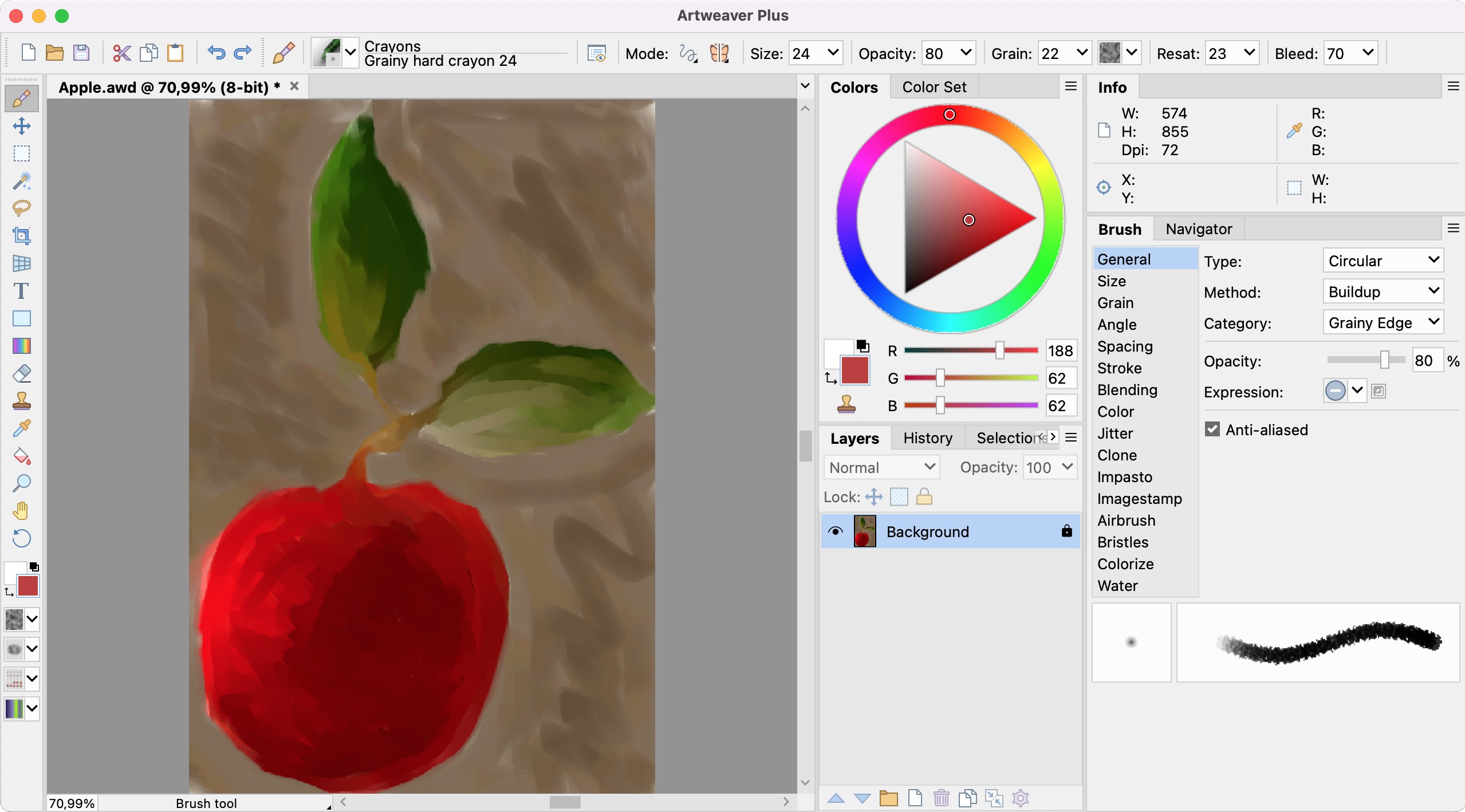
Highlights
- Native support for macOS
- Compatible with Intel and Apple Silicon processors
- Powerful brush engine with extensive customization options
- Layer-based workflow with effect filters
- Free canvas rotation and navigation
- Support for a wide range of image formats
- Familiar user interface and workflow for existing Artweaver users
You can download Artweaver 8 for Mac directly from the Artweaver website and start creating today.
Thank you
Bringing Artweaver to macOS has been an exciting milestone, and we are delighted to finally make it available to all Mac users. We hope you enjoy using Artweaver 8 for Mac and that it becomes a valuable tool for your creative projects.
As always, we look forward to your feedback and suggestions as we continue to improve Artweaver in future updates.
Artweaver 8.1.5 is available
An update for Artweaver 8 to version 8.1.5 is now available.
You can install this update automatically using the built-in online update feature of Artweaver, or by selecting Help -> Check for Updates from the application menu.
This version includes the following fixes
- Improved update installation
- Fixed occasional horizontal line artifacts
- Fixed incorrect colors in 8bf filter results
- Fixed scale to fit media enabled by default in print preview
- Fixed layer merge errors with certain blend modes
- Fixed navigator preview not updating after applying the crop tool
- Fixed an opacity issue when moving selected image data
- Fixed document not being marked as modified after applying a tool
- Fixed navigator preview issues with transparency and low zoom levels
- Fixed a crash when opening documents containing EXIF data
We value your feedback
We would greatly appreciate your feedback about your experience with Artweaver. Your regular feedback helps us identify and resolve issues that might otherwise go unnoticed.Thank you for your support!